
Service format flexibility
Explain how workflows differ for quick service, full service and pizzerias instead of positioning one checkout screen for every restaurant.
A restaurant focused POS offering that brings order entry, payments, menu configuration, kitchen routing, reporting and staff workflows into a single operational conversation. Present capabilities by service format rather than giving every prospect the same generic demo.
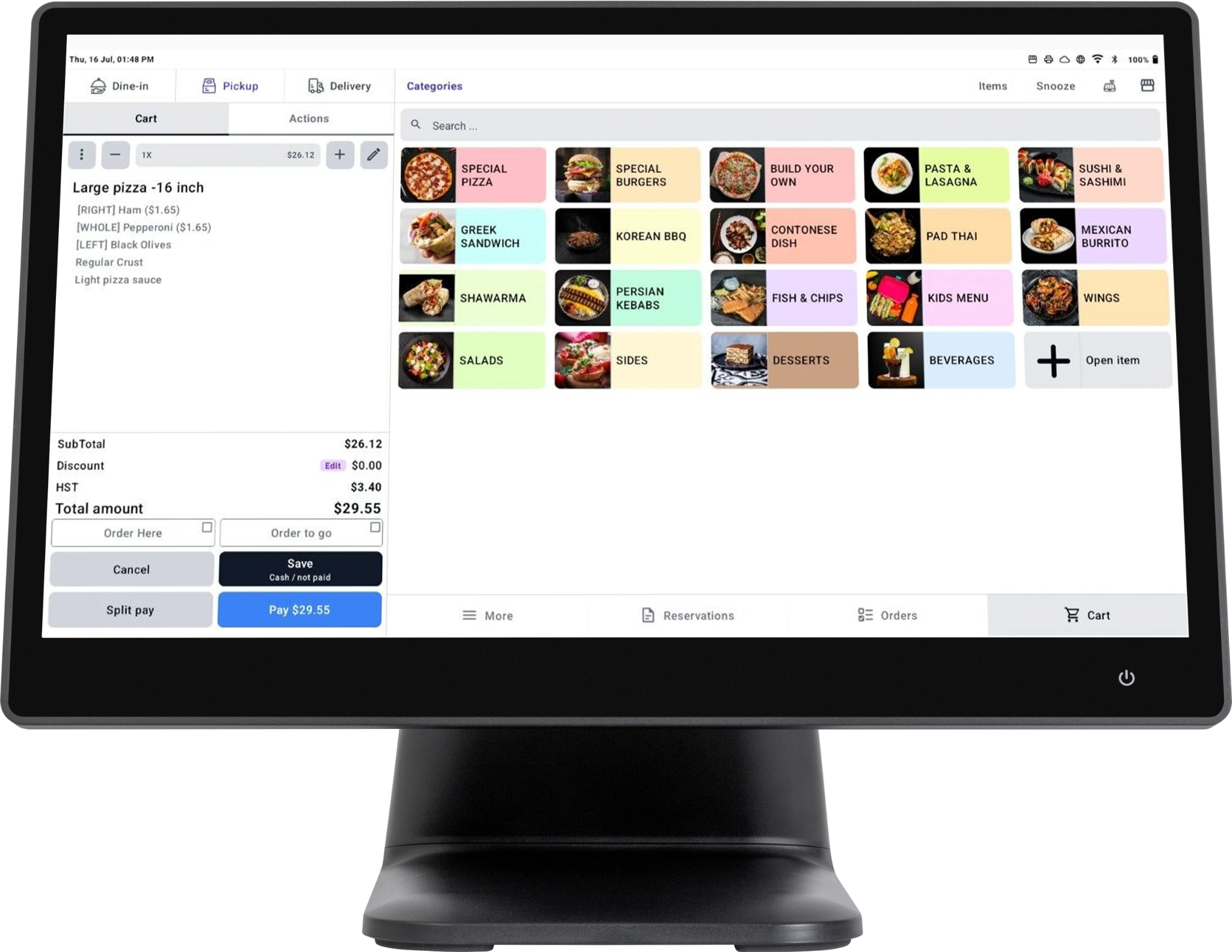
A restaurant focused POS offering that brings order entry, payments, menu configuration, kitchen routing, reporting and staff workflows into a single operational conversation. Present capabilities by service format rather than giving every prospect the same generic demo.
Quick service counters, pizzerias, full service dining rooms, cafés and multi location operators.
An excellent starting point for discovery: the POS creates natural follow on conversations about online orders, KDS, payments, staff management and loyalty.
Show café, takeaway and fast casual prospects how their staff can take counter orders, choose modifiers, accept supported payments and send work to the kitchen. Explain pickup and delivery as related workflows: not separate products a restaurant must run manually.
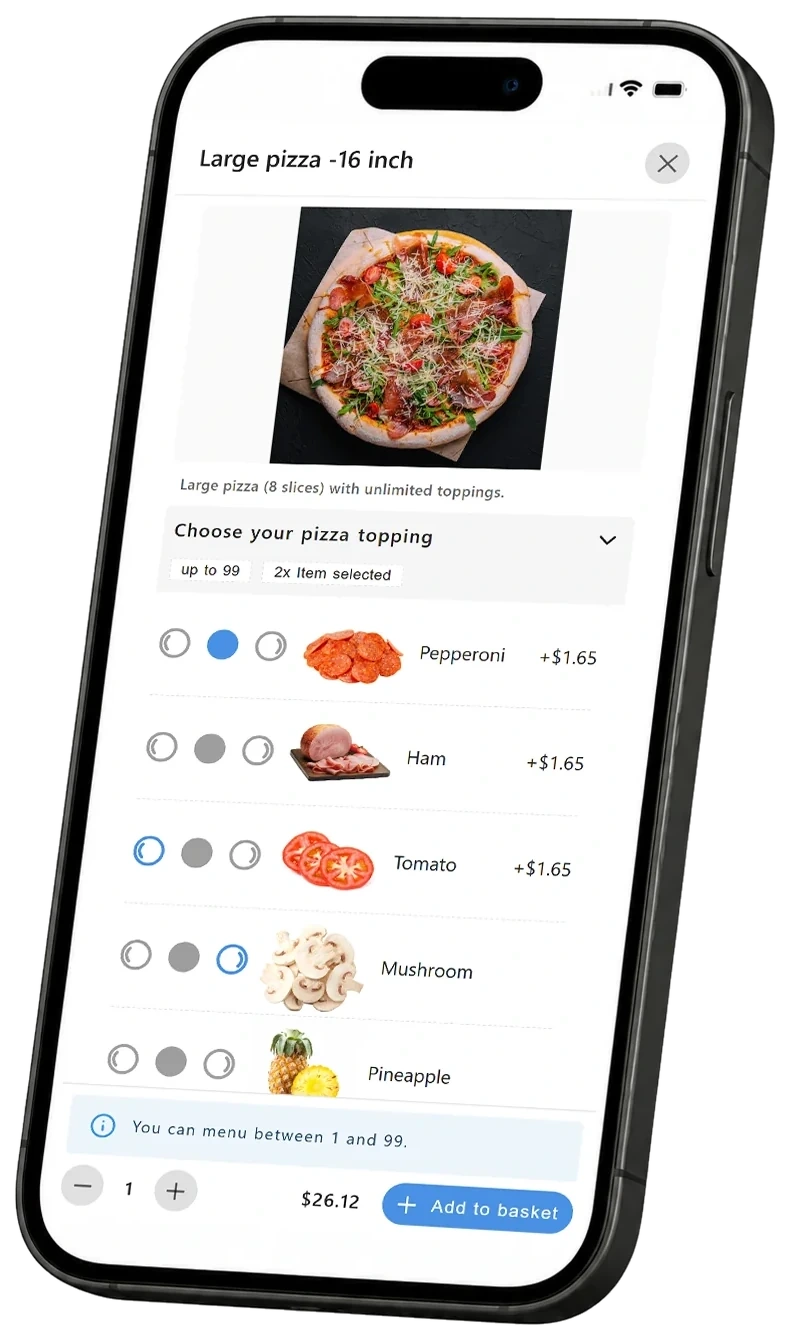
Present a POS workflow designed around pizza realities: size, crust, left side, right side and whole pizza toppings. Explain how extra cheese, double toppings, premium ingredients and half and half choices can be configured with the correct pricing logic. This is especially valuable when a pizzeria is currently relying on free text notes.
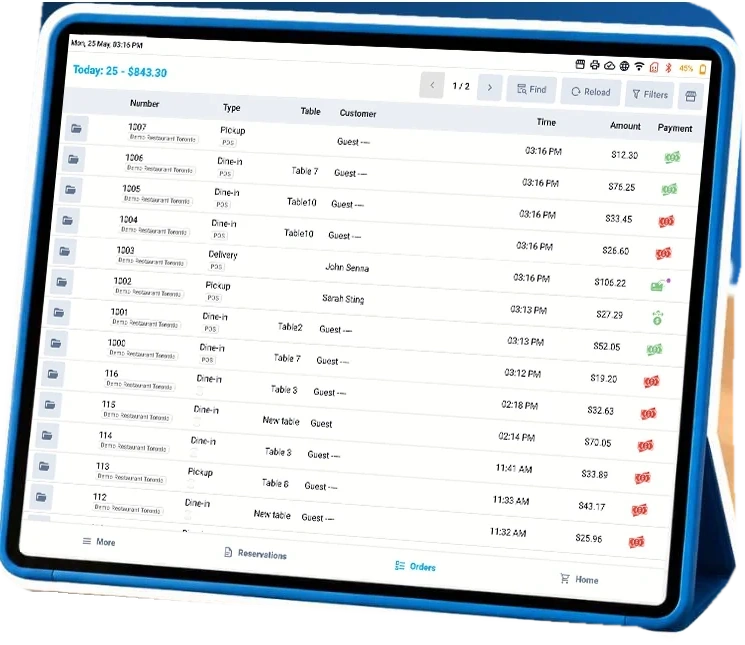
For full service restaurants, lead with a visual floor plan of tables and dining sections. Discuss opening and managing checks by table, and the handoff between servers, kitchen and checkout. Each staff member can have an individual login or PIN/password access so managers can configure appropriate roles and accountability.
These examples illustrate product positioning. Exact workflows, access settings, pricing logic and integrations are confirmed during a product demonstration and implementation review.
Explain how workflows differ for quick service, full service and pizzerias instead of positioning one checkout screen for every restaurant.
Organize menu categories, sizes, add ons, preparation instructions and pricing rules around the customer’s actual menu.
Send tickets or digital orders into the preparation flow and coordinate pickup, delivery and in store service.
Support individual employee sign ins or PIN/password based access, configured for appropriate roles and permissions.
Help operators review orders, performance and important business metrics from the management environment.
Discuss related ordering, digital kitchen screens, loyalty, delivery and payments as the account evolves.
An excellent starting point for discovery: the POS creates natural follow on conversations about online orders, KDS, payments, staff management and loyalty.
Understand the partnershipFind qualified restaurant prospects, understand their goals, present and sell the solution, and manage the customer relationship.
UNIFIED ORDER SUPPORTTechnology platform, technical onboarding assistance, product guidance, implementation coordination and ongoing technical help.
Exact partner terms and locally available services are confirmed through the partnership process.Product availability and configuration may vary by market and the agreed partner model.
Yes: but lead with the workflow each business actually needs. Use the pizzeria’s half and half menu examples or the dining room’s floor plan and staff sign ins.
The partner owns marketing, sales and client relationships. Unified Order supplies platform expertise, onboarding assistance and technical support under the agreed partner arrangement.
Contact Unified Order with your market and intended customer segment. We will review solution, hardware, integration and service availability before confirming a partnership scope.
Tell us about your market and clients. We'll discuss the right product fit and partnership options.